 Goliath-Shield
Try the case before you file it.
The attorney edition of Goliath-Shield runs the matter from every chair in the courtroom: your counsel, opposing counsel, the jury and the judge. Then it lays out your next ten moves. The file stays on your computer.
One matter, intake to hand-off
A sample wrongful-termination matter: intake from the client’s documents, record checks, a “what if”, a mock jury, the other side’s position statement scored, a citation verified and a Prophecy run.
Captioned. All names and documents are fictional.
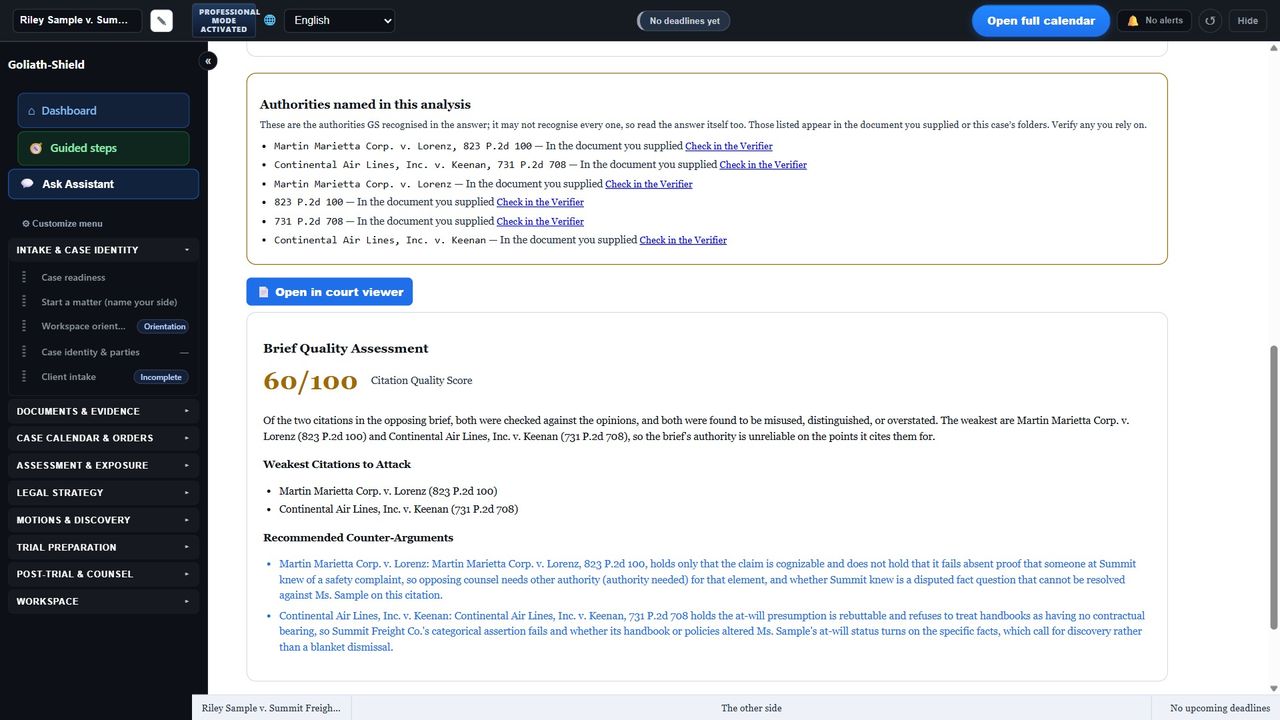
Their brief, scored citation by citation
Paste or load the other side’s paper. Goliath-Shield finds each case they cite, looks it up, reads the opinion and says whether it supports what they claim it does: accurate, overstated or misused.
If a citation could not be checked, the report says so and leaves it out of the score.
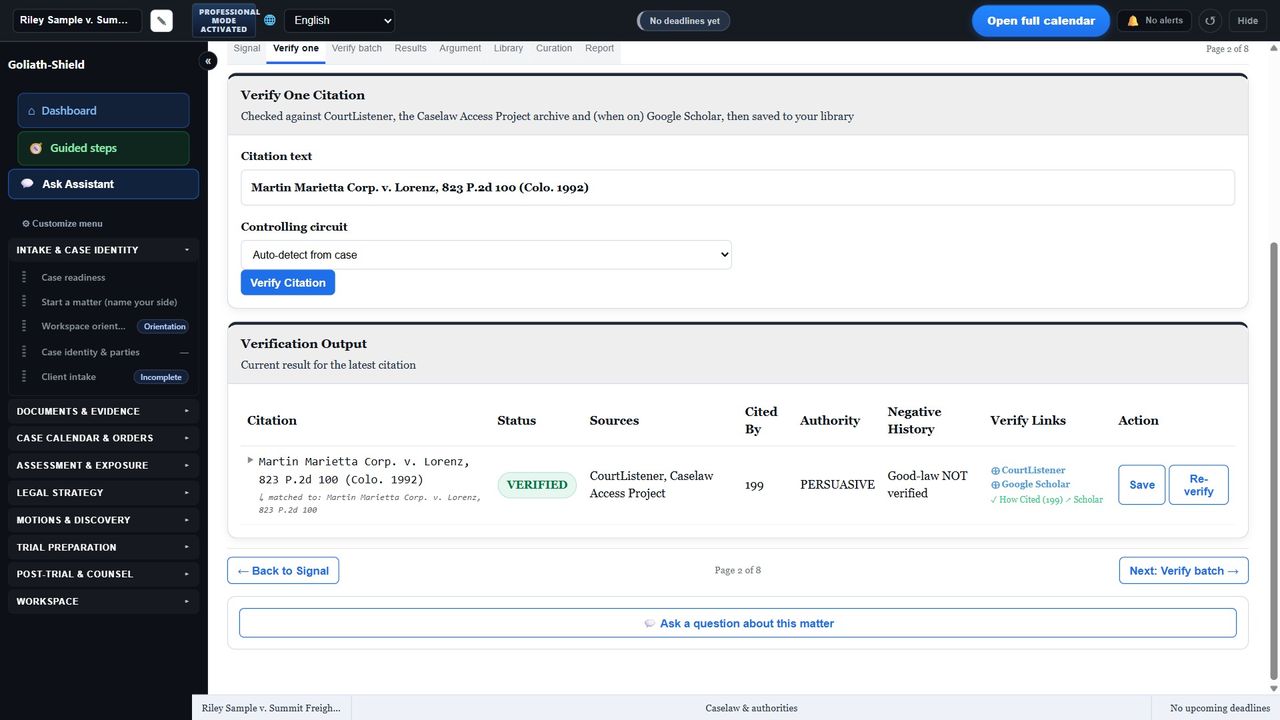
A citation is verified only after it is read
Each authority is checked against CourtListener and the Caselaw Access Project archive, and Google Scholar if you turn it on. The opinion is saved to the matter’s Authorities folder and read before the status says verified.
Whether a case is still good law is yours to confirm. The screen says that, every time.
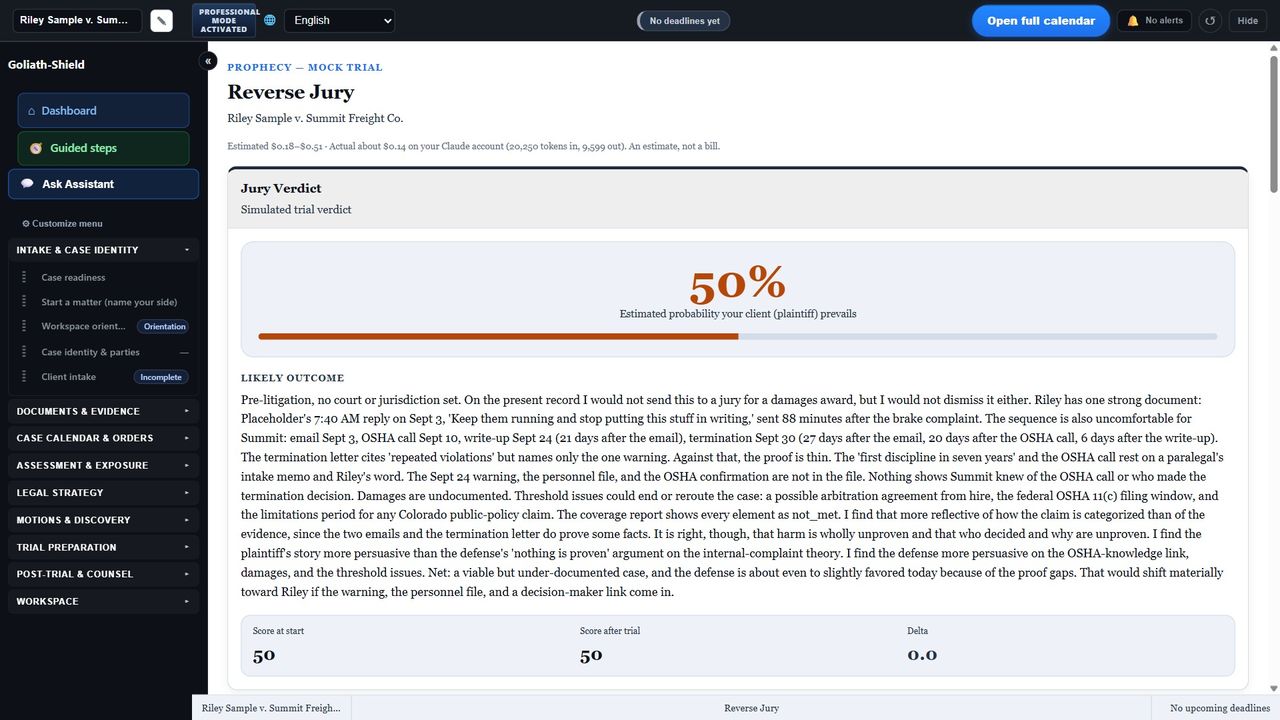
A jury before the jury
Reverse Jury argues the matter from the jury box: what resonates, what does not and which facts carry the verdict. “What if” changes one fact, witness or ruling and shows how the outlook moves.
How it fits a practice
The file stays in your office
Matters are stored on your computer. There is no Goliath-Shield cloud vault. AI features send the text they need to the provider you configured, under your own account, or to a model running on your own machine.
You supervise everything
Every output is a suggestion with its sources. Nothing becomes a position until you adopt it. Draft papers mark every blank.
Many matters, kept apart
Each matter has its own folder, authorities and record. You choose which one is open.
Bring your own AI
Use your own Claude, OpenAI, Gemini or Grok key, or a local Ollama model. Without one, the non-AI tools still work.